
Is your XBox SeriesX or PS5 audio muffled? Learn how to fix

By Pofari Gaming Staff • Updated March 2025

This content contains affiliate links. We may earn a commission if you make a purchase through these links.

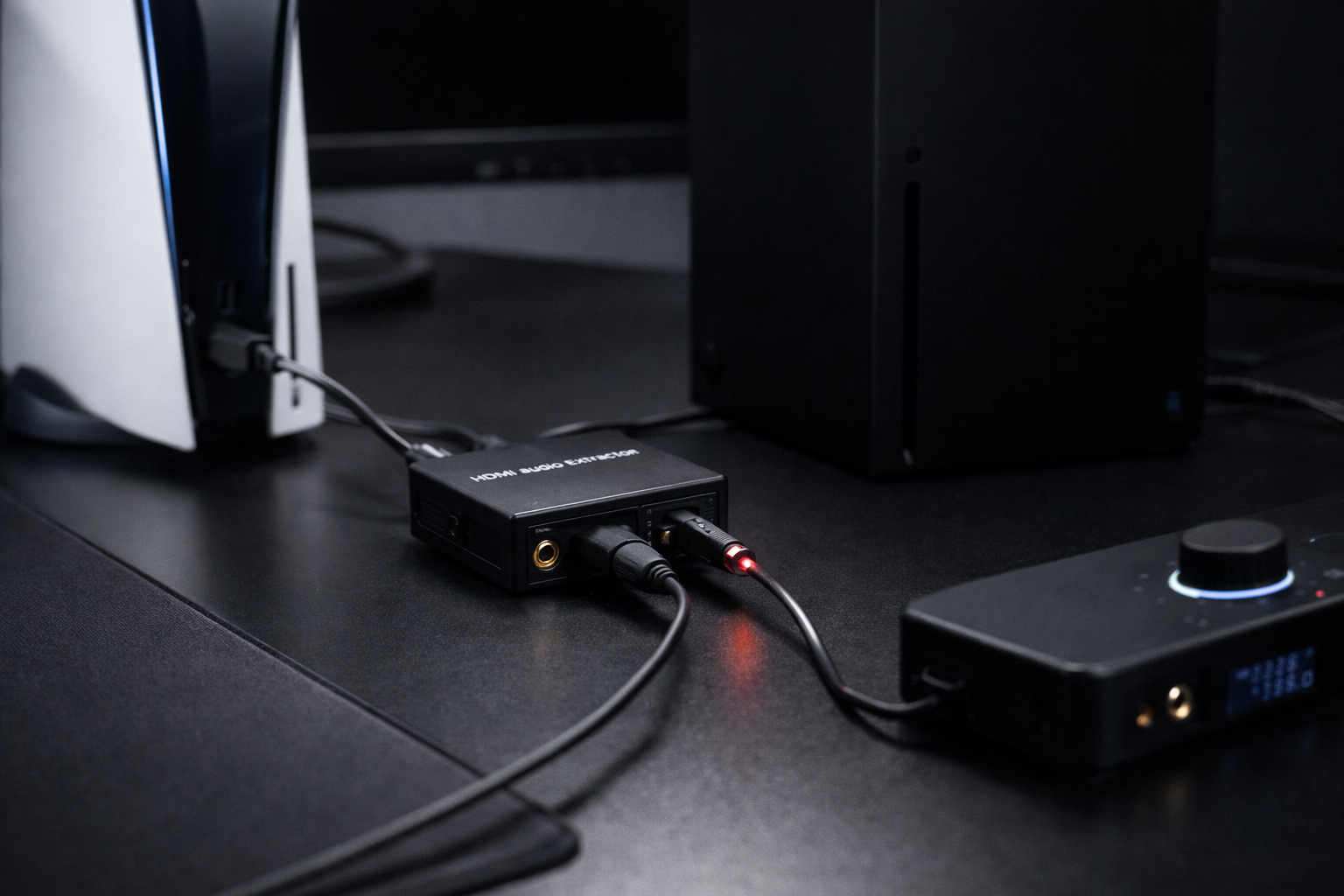
HDMI audio extractor fixing PS5 audio muffled issue by restoring optical audio output for gaming headsets

You buy a $120 gaming headset expecting clear positional audio.

But when you connect it to your PS5 or Xbox Series X, something sounds wrong. Footsteps feel distant. Gunshots sound flat. Everything feels muffledThe problem usually isn’t your headset. It’s your console.

Both Sony and Microsoft removed the optical audio port from their new consoles.

Instead, audio is routed entirely through HDMI.

This design change breaks compatibility with many gaming headsets that rely on optical audio for clean sound.

You can confirm this change in Sony’s own explanation of the missing optical port. 

https://support.turtlebeach.com/s/article/360057703234-PS5-No-Digital-Optical-Out?language=en_US

The fix is surprisingly simple: bypass the HDMI audio path.

Step 1: The Hardware "Bypass" to Clear your Sound

To fix PS5 audio muffled issues or Xbox Series X muffled sound, you need an HDMI audio extractor.

This device sits between your console and your TV and separates the audio signal from HDMI.

Instead of forcing your headset to receive compressed HDMI audio, the extractor sends a clean optical signal directly to your headset DAC.


Connection flow:

Console → HDMI Audio Extractor → TV
Audio Extractor → Optical Cable → Headset

This creates a zero-lag audio bypass, restoring clear sound and proper positional audio.

Recommended HDMI 2.1 Extractor (Best for 4K 120Hz Gaming)

If you use 4K 120Hz or VRR gaming, you must choose a true HDMI 2.1 extractor.

Example:


👉OREI HDMI 2.1 Audio Extractor


Why this type matters:

  • Supports 4K 120Hz

  • Supports VRR

  • Preserves HDMI 2.1 bandwidth

  • Restores optical audio output

This is the safest option for PS5 or Xbox Series X competitive gaming setups.

HDMI 2.0 Extractor (Budget Option)

If you only play at 4K 60Hz, a cheaper HDMI 2.0 extractor works.

Example:


👉OREI HDMI 2.0 Audio Extractor


However, HDMI 2.0 extractors will limit refresh rate to 60Hz, which may matter for high refresh gaming.
Step 2: Connecting your Headset for Crisp, Clear Audio

Installing the extractor is simple.

Steps:

  1. Connect the console HDMI output to the HDMI extractor input

  2. Connect the extractor HDMI output to the TV or monitor

  3. Connect an optical cable from extractor to your headset base station

  4. Power the extractor via USB

Once installed, your headset receives clean digital audio directly from the source.

The TV still receives the video signal normally.

Console Settings to Stop the "Muffled" Effect

PS5 Settings

Go to:

Settings → Sound → Audio Output

Change:

  • Output Device → HDMI Device

  • Audio Format → Bitstream (Dolby)

Xbox Series X Settings

Go to:

Settings → General → Volume & Audio Output

Change:

  • Headset Format → Dolby Atmos or Windows Sonic

  • HDMI Audio → Bitstream

Microsoft also explains these options in their support documentation:

https://support.xbox.com/en-US/help/hardware-network/display-sound/choosing-speaker-audio-output

4K 120Hz Warning: Why the Wrong Adapter Will Ruin Your Setup

This is where many players make a mistake.

Cheap HDMI extractors only support HDMI 2.0, which means:

  • Maximum 4K 60Hz

  • No 120Hz support

  • Possible compatibility problems with VRR

If you own a PS5 or Xbox Series X and a 120Hz monitor, you must use an HDMI 2.1 audio extractor for gaming.

Otherwise fixing your audio could accidentally downgrade your video performance.

Conclusion

Is your PS5 audio muffled or your Xbox Series X audio sounds muffled? The issue usually isn’t your headset. It’s the missing optical audio port.

Using an HDMI audio extractor restores the clean digital signal that many gaming headsets expect.

The result:

  • clearer footsteps

  • better positional audio

  • no audio compression

Sometimes the best upgrade isn’t a new headset it’s fixing the signal path.

Frequently Asked Questions

PS5 routes audio through HDMI instead of optical output, which can cause compatibility problems with some gaming headsets.

No. Xbox Series X removed the optical port, which is why many gamers use HDMI audio extractors.

It separates the audio signal from HDMI and outputs it through optical or analog ports.

No. Digital audio extraction is instantaneous and does not introduce noticeable lag.

If you play at 4K 120Hz, you need HDMI 2.1 hardware to maintain full performance.